Website Design
Meet OrderOpenly: Beautiful Online Ordering for Small Businesses
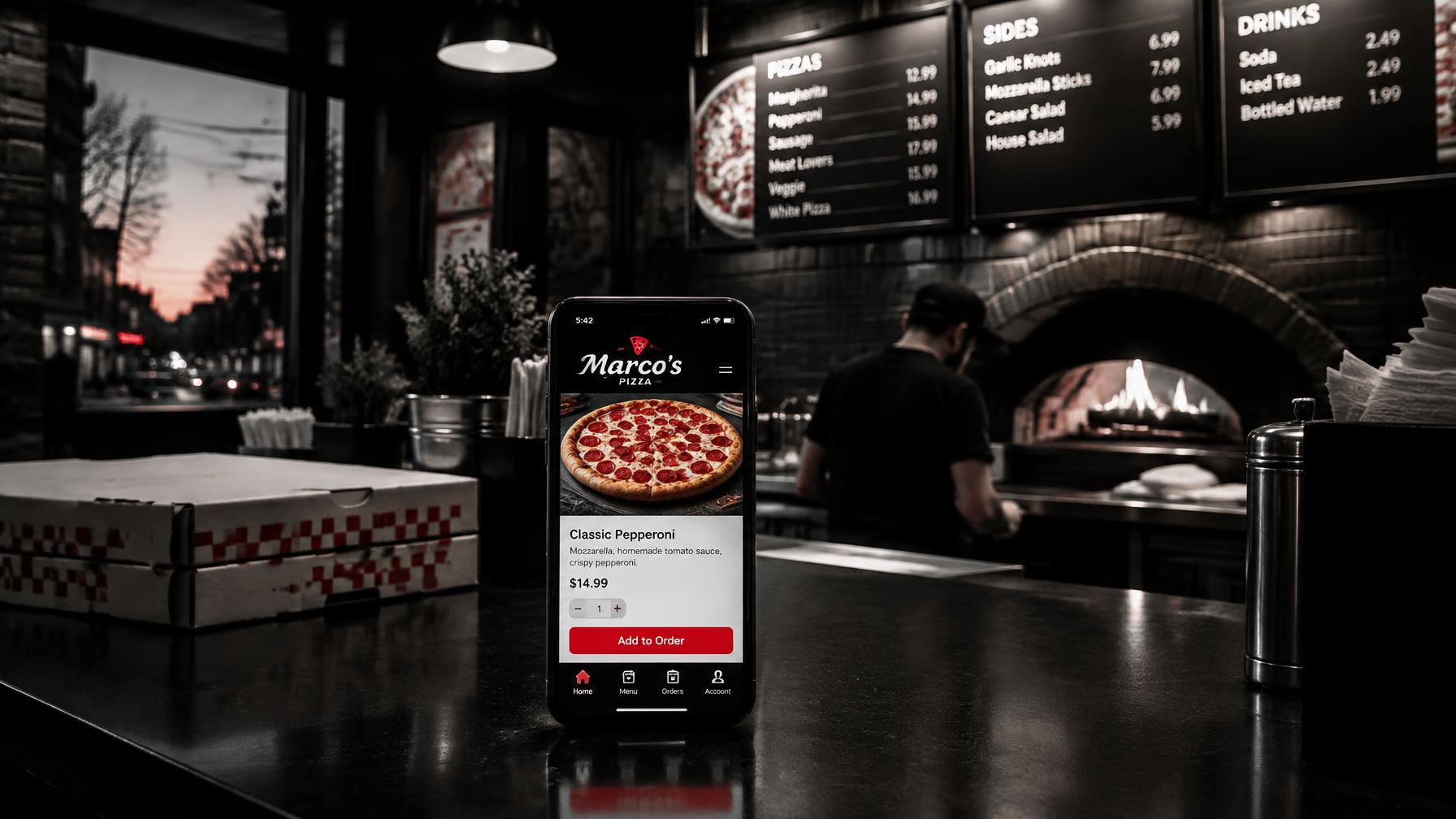
A small business can have a small selection and still offer an exceptional shopping experience.
Maybe you run a neighborhood pizza shop with a menu your regulars know by heart. Maybe you sell pressure-cleaning supplies, with a carefully chosen selection of products your customers depend on.
You want people to see what you sell, choose what they need, and place an order easily. You also want the experience to look like it belongs to your business.
That is why EaryDigital created OrderOpenly.
OrderOpenly brings attractive product displays, straightforward ordering, and practical staff tools into a custom website. It is designed for businesses with a focused catalog that want to make buying convenient.
A Small Store Deserves a Great Storefront
Your products deserve more than a downloadable price list or a social media post customers have to search for.
A well-designed online storefront gives each item room to shine: a clear photo, a useful description, a visible price, and an easy way to select it.
With OrderOpenly, EaryDigital can build that experience into your website. The storefront follows your branding, so your colors, typography, product photography, and ordering pages feel connected.
For a pizza shop, that might mean an inviting menu with appetizing images and easy-to-understand choices.
For a pressure-cleaning supply store, it might mean organized product categories, clear sizes, and practical descriptions that help customers select the right item.
The result is a professional shopping experience built around what you actually sell.
From a Pizza Shop to a Pressure-Cleaning Store
We have used OrderOpenly for businesses as different as a small pizza shop and a pressure-cleaning store.
Those businesses sell very different things, but their customers share a basic need: choose products, specify quantities, and get the order to the business clearly.
For a pizza shop, the ordering experience can be configured around menu items, sizes, and supported options. Customers can add relevant instructions while the business controls which choices carry an additional charge.
For a pressure-cleaning store, the storefront can present a focused selection of supplies and accessories, with product options configured around the catalog. Customers can select what they need and request pickup.
In both cases, the website becomes a useful part of daily operations. It helps turn browsing into an organized order the business can review and fulfill.
Make Ordering Easy for Your Customers
A customer should be able to understand the ordering process without a tutorial.
OrderOpenly's public demonstration follows a straightforward journey:
- Browse the available products.
- Choose an item and any supported options.
- Select a quantity and add an optional note.
- Review the order.
- Enter contact information and request a pickup time.
- Submit the order for the business to accept.
The demo lets customers order without creating an account, keeping the experience focused on the purchase.
Customers can also review their selections before submitting. That gives them a chance to catch an incorrect quantity or confirm an item option while everything is still easy to change.
Try the interactive OrderOpenly demo to experience the process yourself.
Product Options That Keep Orders Clear
Even a short menu or small catalog can need meaningful choices.
A food item may come in different sizes. A drink may have flavor options. A store product may be available in several configurations.
OrderOpenly's demo shows selectable options with price adjustments, along with quantity controls and item-specific notes. Those details carry into the order summary so the customer and business can see what was requested.
That clarity matters.
A note such as "dressing on the side" is useful. A paid upgrade needs to be selected and priced properly. Keeping those separate helps the business communicate what is included and what requires an additional charge.
EaryDigital configures the ordering experience around your actual products and supported choices.
Give Your Team a Practical Way to Manage Orders
A polished storefront needs an equally useful business view.
OrderOpenly's demonstration includes a staff screen where the business can review incoming orders, accept or decline them, and move accepted orders through preparation, readiness, and collection.
Payment status is shown separately from fulfillment status.
That means "ready for pickup" and "paid" remain distinct pieces of information. Staff can see what still needs to happen before an order is complete.
The demo also includes product-management controls, such as marking items sold out and pausing ordering. Those are useful tools for small businesses whose availability can change throughout the day.
A restaurant might sell through a popular item during lunch. A shop might need to stop accepting orders while staff catches up. Your website should be configured to support those real working conditions.
Requested Pickup Times Give the Business Room to Respond
Customers appreciate knowing what happens next.
OrderOpenly's demo makes it clear that a pickup time is a request until the business accepts the order. That distinction helps avoid promising a time the team cannot fulfill.
The ordering setup can be planned around business hours, preparation time, pickup requirements, and the level of staff approval your operation needs.
For a pizza shop, preparation time matters. For a supply store, the team may need time to gather products and have them ready at the counter.
The goal is to make the online promise match the way the business actually works.
Start With the Workflow You Need
OrderOpenly's public demo uses a pay-at-pickup workflow.
That can be a useful starting point for a business that wants to take organized online orders while continuing to collect payment at the counter.
Online payment can be assessed as an additional integration. EaryDigital can also discuss how a supported Pay Now Openly payment experience might fit into the process.
Payment collection, confirmation, tax settings, and order acceptance need to work together. We define those requirements before launch so customers understand what they owe, when they pay, and when their order is confirmed.
Each installation is scoped around the business. The demo illustrates the experience; production features and connections are agreed during setup.
A Custom Website With Ordering Built In
OrderOpenly can be part of a complete website project from EaryDigital.
That gives you an opportunity to bring the whole customer journey together:
- A homepage that introduces your business.
- Product or menu pages that present your selection clearly.
- An ordering experience that follows your branding.
- Business hours and pickup information customers can find easily.
- Contact details and answers to common questions.
- Staff tools configured for your order workflow.
If you already have a website, we can assess whether OrderOpenly can be added to it and recommend a suitable integration.
The aim is a cohesive experience that feels natural to the customer and practical for your team.
Who Is OrderOpenly For?
OrderOpenly is particularly suited to businesses with a manageable selection and a straightforward fulfillment process.
That includes neighborhood restaurants, pizza shops, bakeries, cafés, farm stands, florists, specialty retailers, and focused supply stores.
The public offering is centered on a small catalog—approximately 10–30 items—with larger selections assessed according to the project.
Catalog size is only part of the decision. A store with 20 highly complex products can need more configuration than a store with 50 simple ones. We also consider product options, inventory needs, payments, and fulfillment.
If your business needs extensive shipping rules, warehouse management, or complicated inventory connections, those requirements deserve a separate evaluation. OrderOpenly works best when its focused approach matches the way you sell.
Built From the Needs We See in Small Businesses
At EaryDigital, building websites brings us close to the practical problems business owners face.
Customers need an easy way to order. Staff need clear information. Owners want a site that looks professional and supports the business without creating unnecessary work.
We created OrderOpenly to bring those needs together.
A pizza shop should be able to present its menu beautifully. A pressure-cleaning store should be able to display its products professionally. A small catalog should still feel like a complete, carefully designed shopping experience.
That is the opportunity OrderOpenly offers.
Let's Build Your Online Storefront
If you have a focused selection of products and want customers to order through your own website, EaryDigital can help you plan the right setup.
We can build a custom website with OrderOpenly included or assess adding an ordering experience to a suitable existing site.
Explore OrderOpenly and try the ordering demo to see both the customer experience and the business view.
Then contact EaryDigital to discuss your products, your pickup process, and the kind of storefront you want to create. You can also see this system featured alongside our other work in our portfolio.
Your selection may be small. The experience you give your customers can still be exceptional.
Related at EARY Digital